

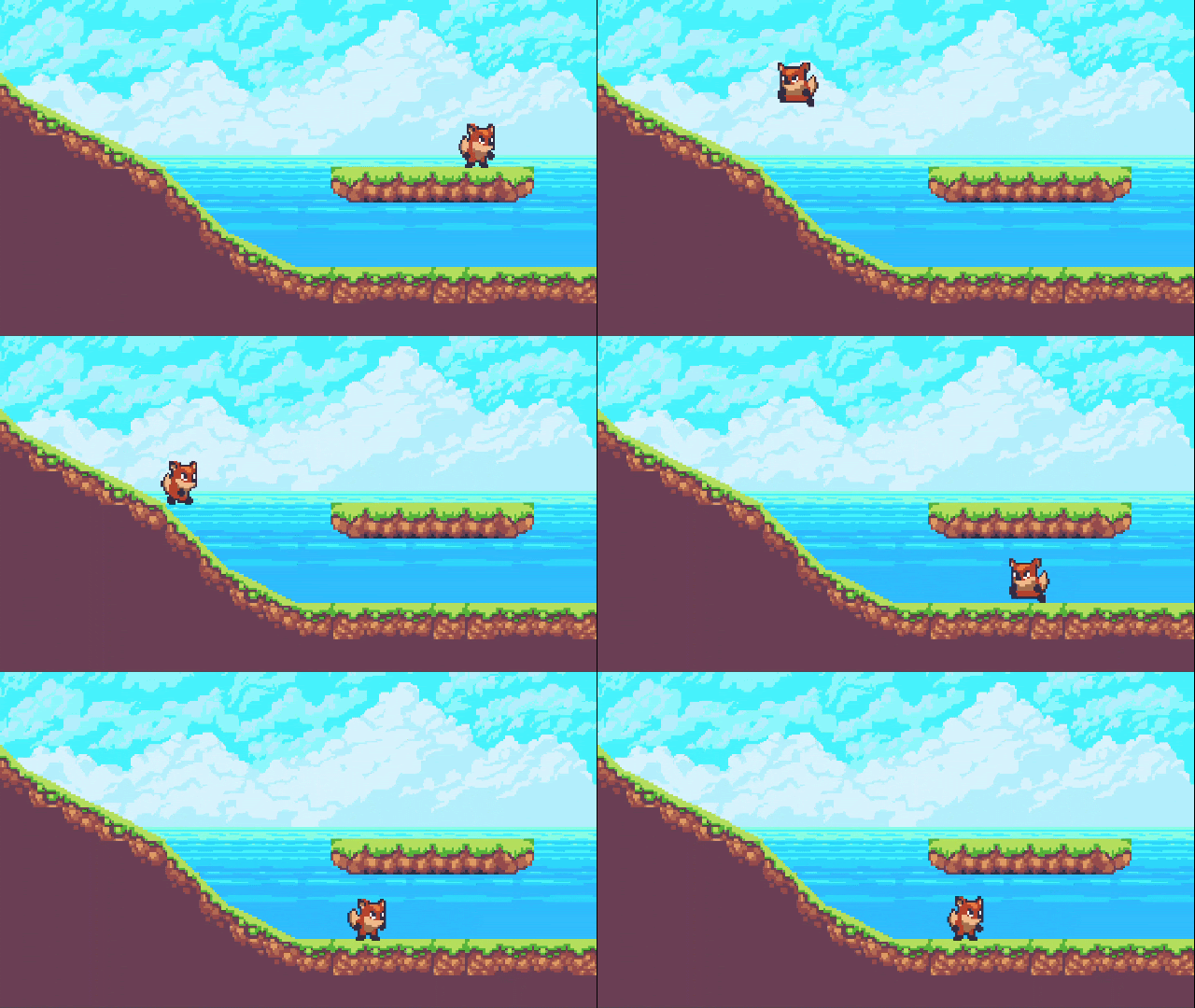
Simple 2D Platformer game made by our students
Between 20th to 24th November, a group of 14 to 18-year-olds, entered the computer labs of St Patricks’ School, carrying laptops, water bottles and an eager mind for learning a new, much-coveted skill — Game Development in Unity. It was finally time for our (Tinkercademy’s) Unity Bootcamp.
For those who have not heard of Unity before, Unity is a powerful game development engine that enables users to build immersive and interactive 2D and 3D games, virtual realities (VR), augmented realities (AR), and much much more….
We’ve been teaching Unity to teenagers for over a decade now. As you can probably guess, getting easily-distracted teenagers to learn coding through video game creation has turned out to be a game-changer (pun intended).
Usually, our Unity course stretches across months. This time around, however, we decided to teach the essentials of Unity in just 5 days — lo and behold, our Unity Bootcamp was born.
Hailing from various schools, including St Joseph’s Institution, Dunearn Secondary School, Temasek Junior College, and many more, each teenager arrived for our bootcamp at the computer labs of St Patrick’s School.
At the beginning
The goal was simple: Get students making with Unity so that they’re confident enough to make whatever they wanted.
Before the bootcamp began, we asked the teenagers seated around us about their reasons for joining the camp.
“I’m a gamer. So, I was curious about how games are made,” a teenager from Temasek Junior College admitted, who was seated next to her two pals from the same school.
We received many of such responses making it clear that the room was filled with avid fans of video games! However, for some, this wasn’t the only reason they had chosen to forego a week of their school holidays.
For instance, the response we received from a St. Joseph’s Institution student left us astounded, amused, and amazed.
“I’ve been dabbling with Python for a while now. I joined this bootcamp to … gather more skills…” he chuckled as he opened up the Unity Game Engine and proceeded to tinker with the various interface controls.
Game Development Woes
The next few hours flew by as we introduced our eager students to a range of concepts from tilesheets, to C# scripting and coding various characters and events.
Unsurprisingly, the first few hours saw our students struggle immensely as they attempted to grasp all the new knowledge that was being shared.
C# Programming
The major hurdle turned out to be C# programming and debugging C# coding errors. Students who had no prior programming experience initially grappled with defining variables and functions.
Meanwhile, other more advanced students were frustrated by the sheer complexity of C# syntax compared with other coding languages.
As aptly explained by a student from Dunearn Secondary: “Compared to Python and other coding languages, there’s no auto suggest in C#. So it’s easy to make mistakes. But, I feel C# is quite similar to C++.”
It seemed as though many students much preferred Python over C#: “Python is the easiest coding language to learn. I’ve made school projects using 3 lines of Python code. Coding Unity games with C# though, requires a lot more lines of code. It’s a lot more complicated…”
Despite these slight hindrances, every student strove to persist. Whether it was referring to the slides given to them, asking our expert Tinkercademy instructors, or searching on Google or Unity, they managed to find the programming fixes they needed.
Unity Interface
Besides C# programming, the teenagers in our bootcamp also faced other stumbling blocks too.
“Look at this panel. If you forget to uncheck this box, your game just wouldn’t work,” a teen from St Margaret’s Secondary lamented as she pointed at the side panel on the Unity interface.
Scrolling up and down, clicking from dropdown lists, checking and unchecking boxes, there were almost a million different choices to decide when making a game.
The problem compounds if multiple tabs are introduced: “You need a tab for every game element. One for your hero’s movements, one for your villain’s movements, one for your hero’s death, one for your hero to score points…” an Edgefield Secondary student pointed out.
Thankfully, over the course of the five days, the teenagers finally familiarised themselves with the Unity Game engine. Many managed to build 2D platformer games, First-person shooter (FPS) games, Visual Novels (VN), 3D worlds and even escape rooms!
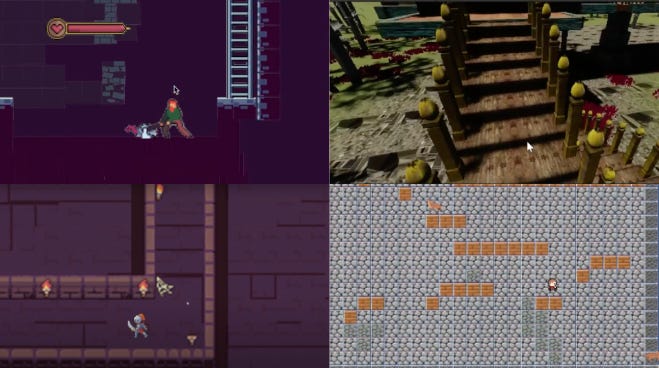
Stills from four of our student’s games! (We tried to showcase more, but were restricted by the limited space)
The Last Day
On the last and final day of the bootcamp, walking around the computer lab was a feast for the eyes and ears. All around, every teenager’s laptop screen glowed in different colours, each emitting shrill beeps, familiar gaming sound effects or the latest radio jams. Each student had made a game they were proud of.
Many were eager to go home to put their newfound game development skills to the test. “I’m fairly confident that I’ll be able to create a game on my own but I won’t publish it due to copyright issues because the ideas I have for my next games are based on existing games,” a student opened up to us, leaving us pleased that our lessons had left an imprint on these young minds.
At that moment, another student joined our conversation. “I enjoyed myself coding different parts of a game. Seeing how a game’s made and the challenges and tricks involved… I’m not gonna forget this.”
Eager to Learn Unity?
Whether you’re a student, working adult or retiree, learning Unity is not only highly stimulating but also extremely rewarding. Today, Unity offers instant, real-time rendering of images, animations and scenes. You could create your own 2D and 3D games, virtual realities, or even animation films. By learning how to create in Unity, the possibilities for creating are endless.
So what do you think? Are you ready to learn this skill too? Then, feel free to drop us an email at hello@tk.sg and we’ll get you started!