

A Comparison of the Top 3 Tools for Machine Learning Beginners: Orange vs PyCaret vs Scikit

TLDR: A discussion on which of these 3 Data Science/Machine Learning libraries you should pick for your next data science / machine learning project.
Whenever we hear the term, “machine learning (ML)”, our minds automatically conjure up images of software developers hunched over laptops, clacking away at their keyboards…
But this scenario cannot be further from the truth. In fact, today, almost anyone, including you and I, can be interested, involved and even well-versed in the field of ML. All you have to do is become acquainted with ML and one of the top 3 beginner-friendly ML libraries.
What is ML really?
   “At its heart, machine learning is the task of making computers more
       intelligent without explicitly teaching them how to behave.”

                –Bill Brock, VP of engineering at Very
Gone are the days when programmers had to painstakingly code line after line of functions to execute a program. Today, thanks to machine learning, computers can self-learn patterns from billions of data points.
Take for instance, ChatGPT. In the past, getting a program to produce written text was near impossible due to the gazillion language rules that exist. To write code for an entire language was a mammoth task that programmers eventually gave up on doing so.
But then machine learning came along. Programmers fed their computers with a multitude of essays, passages, texts and prose floating around the internet and ‘bam!’ — ChatGPT was born.
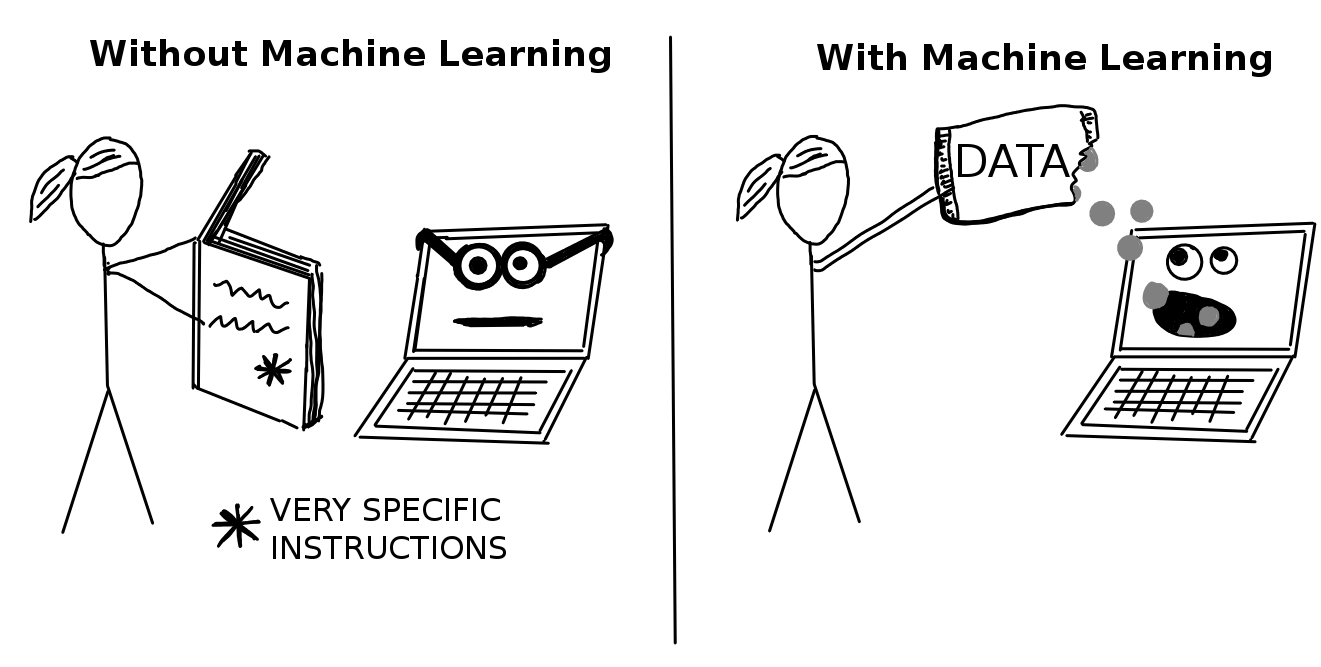
Programming before and after machine learning! (Sourced from: Interpretable Machine Learning)
Machine Learning (ML) Libraries
As you can tell, ML is powerful. It’s akin to a superhuman, one that has no limit. You can pour mountains and mountains of information into its brain and it will continue to function perfectly. Unlike us humans who drown amidst an information overload, ML thrives and improves further as more data is thrown at it!
So, you might be wondering, “How could I get a taste of the wonderful universe of ML?” The answer lies in ML libraries!
In programming, a ‘library’ is a collection of pre-written code that can be used to perform a specific task. Take the Python Pandas library, for example, it is chock-full of useful functions such as “read_csv()”, which you can use to import a CSV file into Python. Using such libraries saves programmers a lot of time because they can easily reuse pre-written code rather than writing them out from scratch every time.
Likewise, in ML, using ML libraries can save you countless precious minutes. So let’s deep-dive into the top three machine learning (ML) libraries to figure out which would best suit you.
1. Orange: Data Mining for Everyone
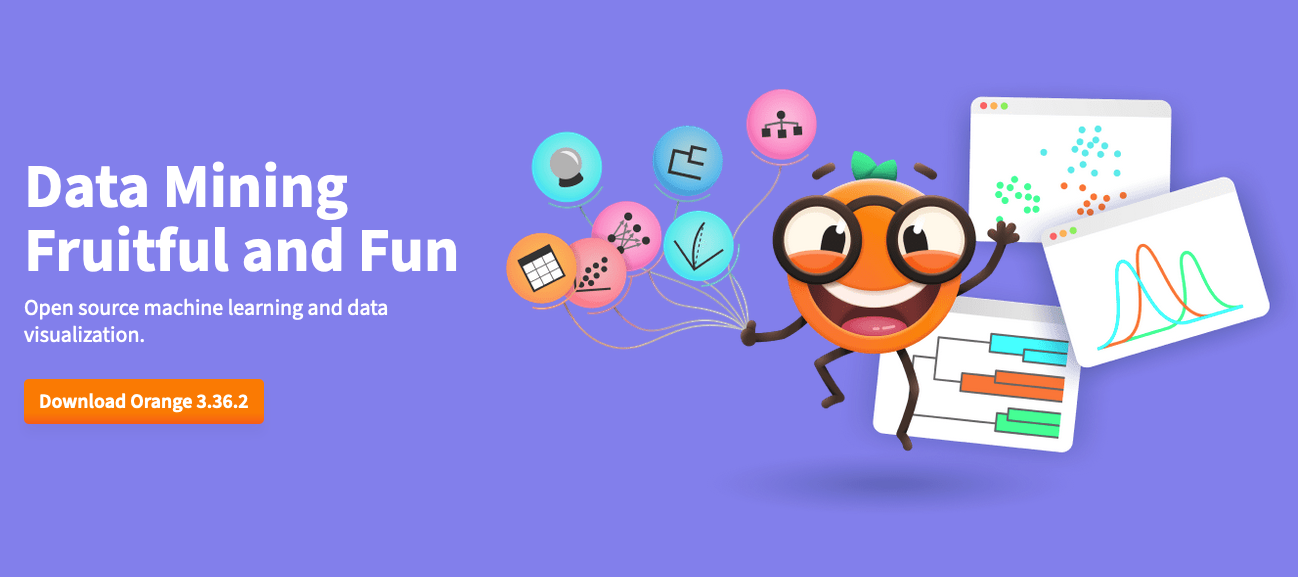
Screenshot of the Orange website
What is Orange?
Orange is an open source data science and machine learning toolkit. First released in 1996 by the University of Ljubljana, it has since grown into by far the most intuitive and simplistic machine learning toolkit in the world.
Instead of writing codes, Orange lets you build machine learning programs by joining widgets together. Widgets are small modules that perform specific tasks such as plotting or processing data.
To demonstrate its ease of use, here’s a few widgets I connected together, which allow you to train and test a machine learner on a selected dataset. It’s so simple that even a child could do it (probably)!
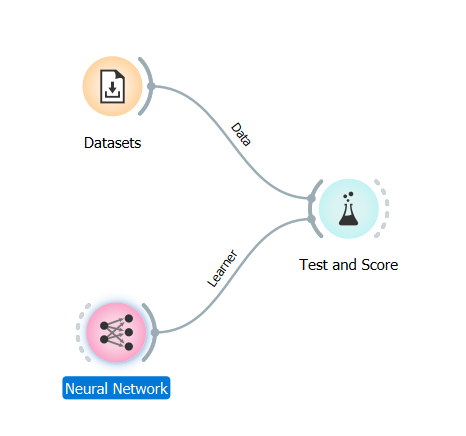
3 Simple Steps to train a neural network in Orange
Bonus Features
Apart from its ML-oriented widgets, Orange also offers amazing built-in interactive visualisation tools that are aesthetically pleasing and easily customizable. For beginners trying to get a feel of data science and machine learning, these visualisation tools are a fantastic resource. Just have a look at them for yourself!
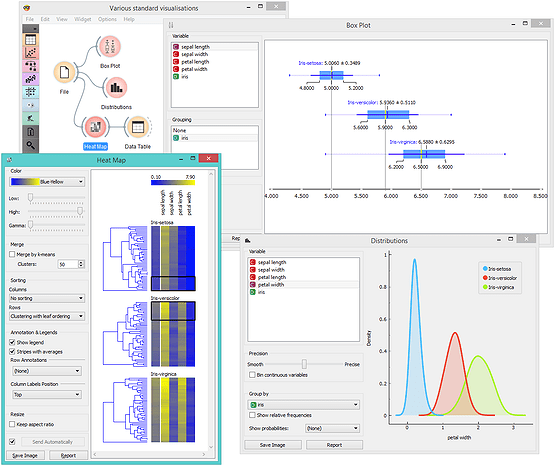
Screenshot taken from Orange website
Is Orange Easy to Learn?
Like most tools, there’s plenty of documentation and tutorials available on both Orange’s official website and Youtube. I followed this playlist for about 2 days, and I found it sufficient. If I needed anything else, I just looked through the example workflows. Not only do they go through how different machine learning models and algorithms work, they show you exactly how to use each widget, so in my opinion, Orange is easy enough for anyone to get started with.
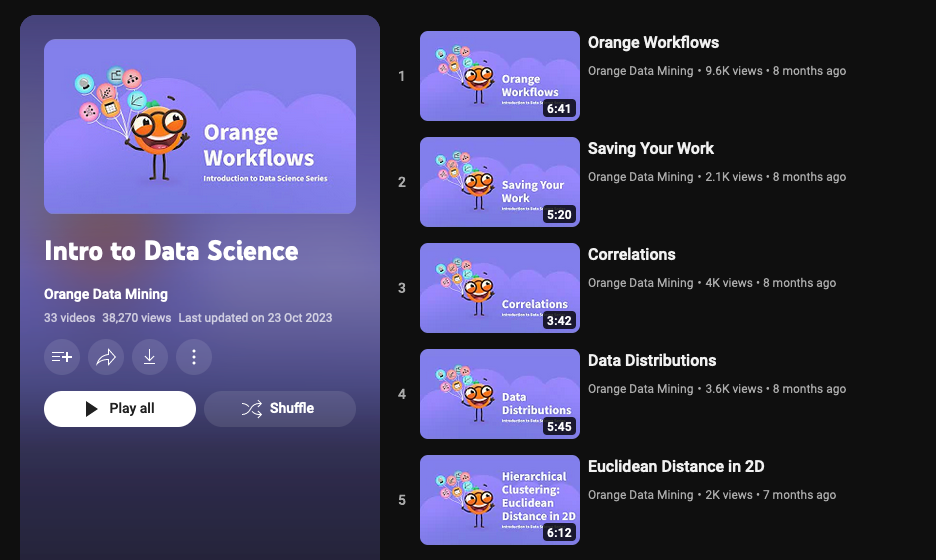
Orange has incredibly helpful videos on YouTube for learning data science / machine learning and using the Orange software
Orange: Yay or Nay?
Overall, I’d say Orange is a beginner’s paradise owing to the fact that it requires little to no coding knowledge and makes machine learning accessible to everyone, allowing them to do machine learning tasks with little to no maths or programming knowledge.
Using Orange is like connecting dots; you place widgets on an infinite canvas and connect them together with links — it can’t get any easier than that! Hence, I highly recommend Orange for absolute beginners in programming because it makes learning ML a breeze.
Needless to say, if you’ve got some background in Python or other programming languages, I’d recommend you to explore the other ML libraries I’ve shared below as they would offer you more control and customisability in building your ML models.
2. PyCaret: Low-code machine learning in Python
Screenshot of PyCaret website
What is PyCaret?
PyCaret is an open-source, low-code machine learning library in Python, first released in April 2020. Compared to Orange, which relies on widgets, PyCaret involves a little bit of coding — although I must admit, it’s very minimal.
Very little code has to be written to perform machine learning and PyCaret acts like a wrapper that holds a bunch of other libraries such as sklearn and xgboost, making it effortlessly easy to try a variety of ML models, blend them and stack them until something good comes out.
If you’re worried about the coding, don’t be because it requires basic coding knowledge and majority of the code involves simply calling up library functions. While the flow might not be very obvious, the code structure is similar to a workflow in Orange, where we repeatedly perform different functions on our data.
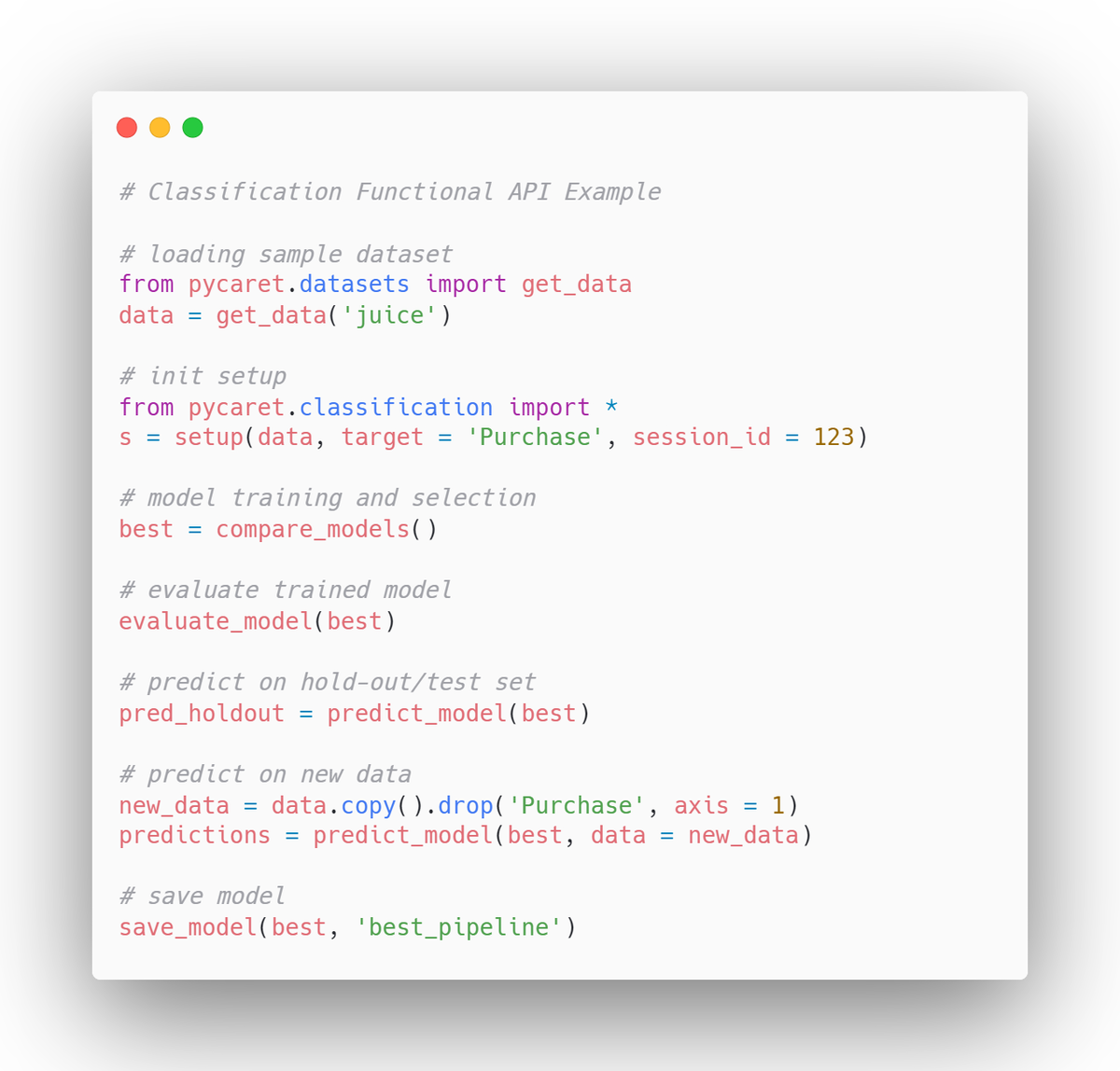
Sample PyCaret code from PyCaret Docs
Bonus Features
What makes PyCaret unique is that it has special functions to make your machine learning program more robust. For instance, PyCaret’s function, compare_models, trains and compares results for many different types of ML models all at once, eliminating the need for you to test them out one by one on your own. In this way, you can get the best-performing ML model with little to no hassle.
Other tasks like tuning models can also be done in one function, using tune_model. Below is an example, comparing 22 regression models at once — so many that it even cutoff SVMs at the end!
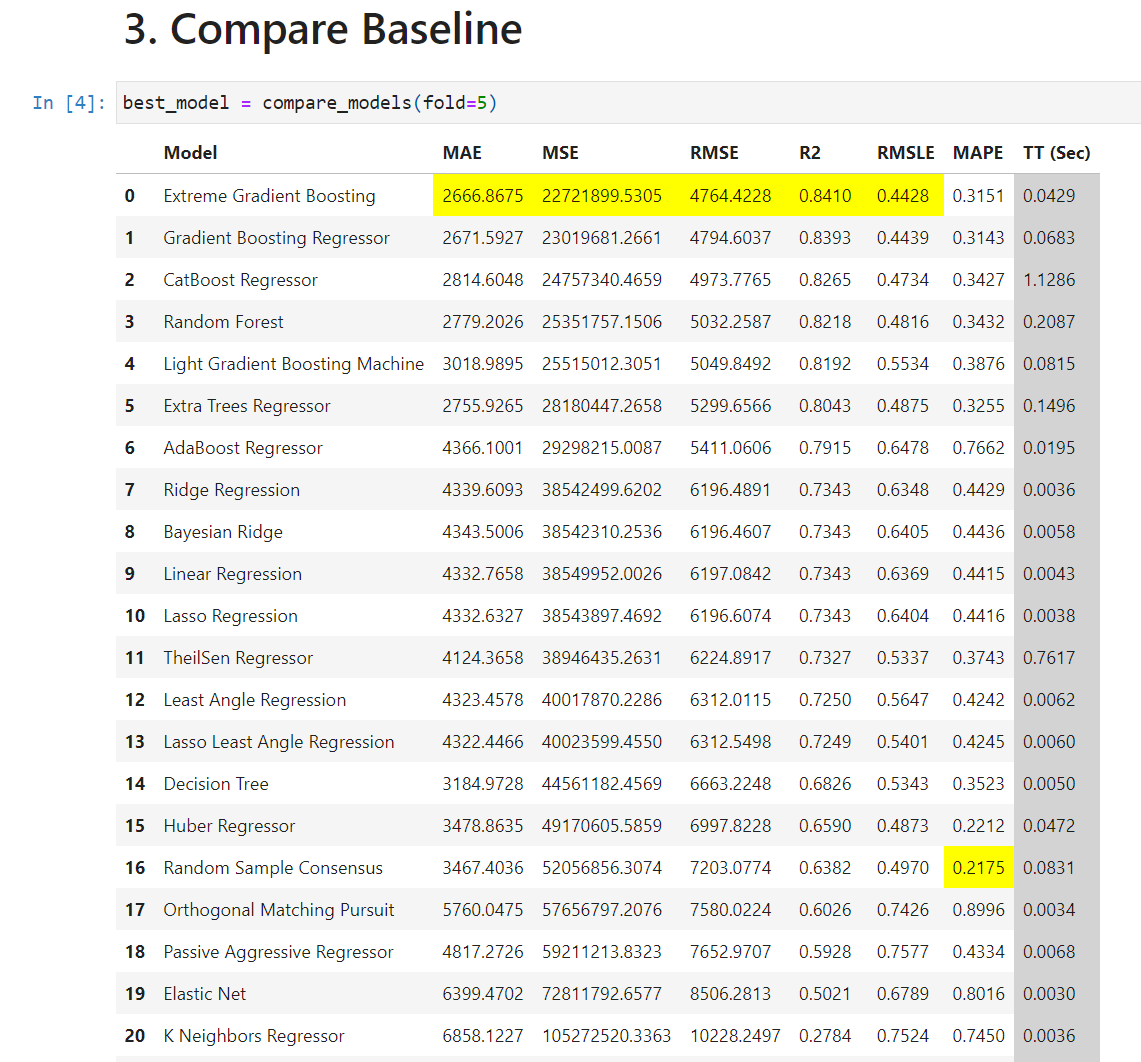
Comparing different models (taken from PyCaret example Notebooks)
Is PyCaret Easy to Learn?
Despite being a a relatively new ML library, there are many PyCaret tutorials available on YouTube that walk you through the essentials. Furthermore, PyCaret’s official documentation is dead-on. It’s a comfortable read, well-structured with separate sections for different ML tasks and sprinkled with user-friendly tips and tricks. Additionally, if you’re looking for more help, it also comes packed with a bunch of tutorial notebooks. This really leaves you with nothing to complain about!
PyCaret: Yay or Nay?
If you’re someone keen on building powerful, complex ML models, but lack the technical expertise to carry out advanced coding manoeuvres, PyCaret is your best friend. You’ll get a full-fledged model in a fraction of the time it would take for you to learn the coding from scratch. Hence, PyCaret is definitely suited for anyone looking to swiftly build a top-notch ML model that brings results.
Furthermore, if you’re an advanced machine learning specialist, you might also wish to test out different models on PyCaret so that you can save time on writing out these lines of code yourself!
3. Scikit-Learn
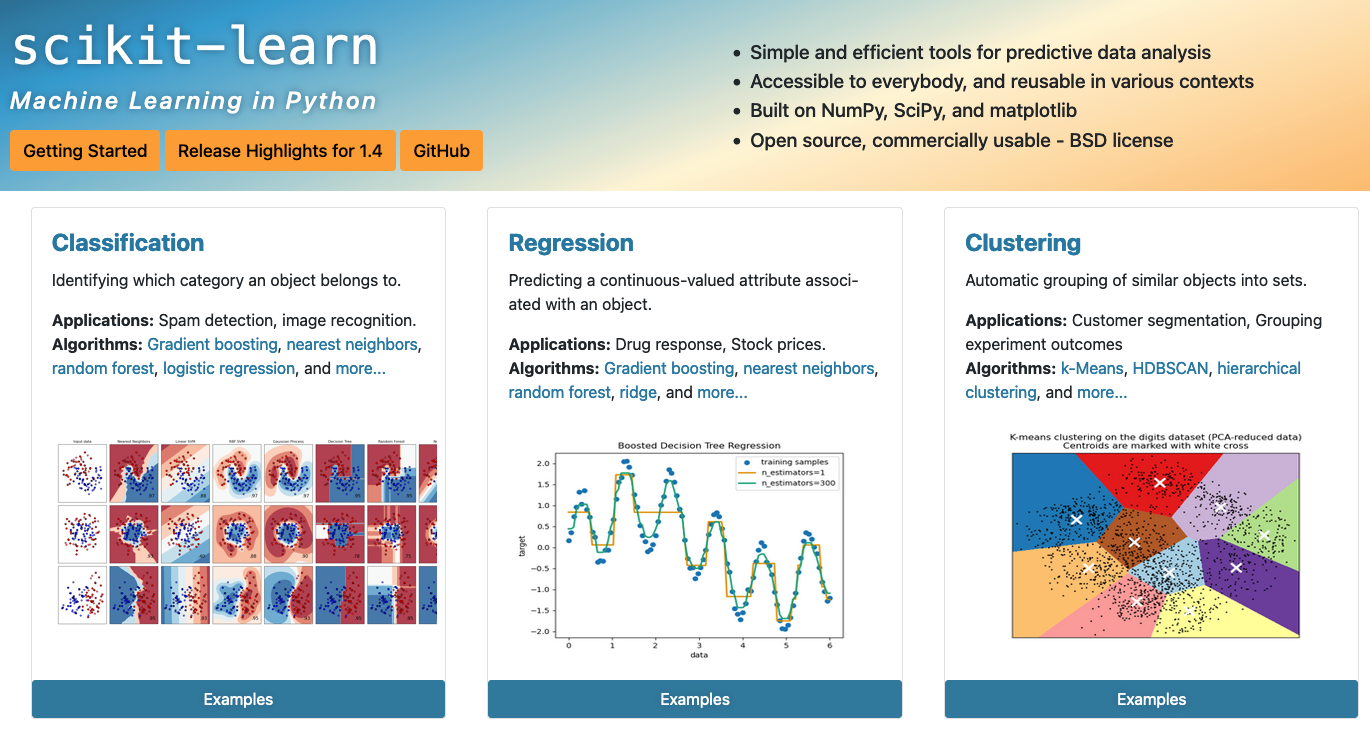
Screenshot of scikit-learn website
What is Scikit-Learn?
Scikit-Learn is a machine learning library written in Python. It originally started as a Google Summer of Code project by data scientist, David Cournapeau, in 2007. It includes some of the most popular machine learning models, such as K-Nearest Neighbours, Support Vector Machines and Multi Layer Perceptrons, along with other data preprocessing and clustering algorithms like K-Means.
Bonus Features
What I like most about Scikit is that it offers a lot of customisability and has efficient code that does not use excessive resources. It is also user friendly; you only need an elementary knowledge of Python to use it effectively. This can be attributed to the fact that only one library is needed to perform many different functions, such as GridSearchCV, OneHotEncoder etc.
However, be forewarned; using Scikit might get complicated as a project increases in size, with multiple libraries needed to perform different functions (such as for Confusion Matrix, OneHotEncoder, and model). Furthermore, it might seem intimidating to those with little programming knowledge, especially since there is no data visualisations built-in, and other libraries such as matplotlib might have to be used instead.
Is Scikit-Learn Easy to Learn?
Despite its appearance of complexity, as long as you are comfortable coding in Python, Scikit-Learn is rather easy to use, even if not as straightforward as PyCaret.
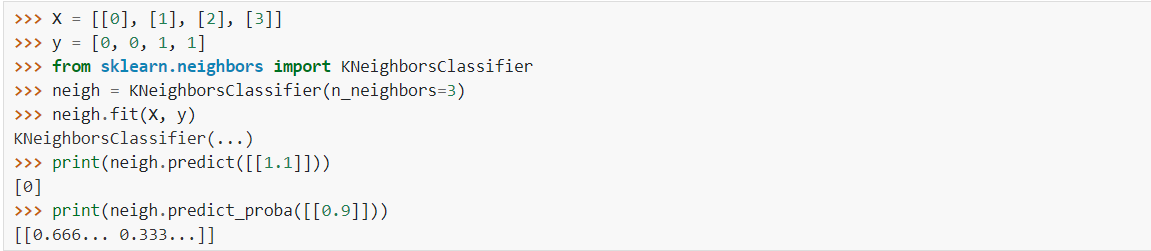
Sample classification task in Scikit-Learn
Scikit-Learn: Yay or Nay?
Due to its primary reliance on Python code, Scikit-Learn is the optimal choice for anyone with basic Python knowledge and an interest in Machine Learning. Truth be told, out of the 3 libraries, Scikit-Learn is the unrivalled ML library as it allows for the most customisation.
What’s the Verdict?
At the end of the day, for most purposes, any of the 3 libraries should work fine; but why limit yourself? If you plan on becoming an ML expert someday, why not take a step further and enrol in Tinkercademy’s streamlined ML training courses. Not only will you get to learn all there is to know about machine learning from an industry practitioner, but you’ll also be able to meet like-minded peers who might just end up being your future business partner!
If you or your organisation is interested in enrolling in Tinkercademy’s machine learning programmes, feel free to reach out to us at hello@tk.sg and we’d be glad to share more details with you!