

Coding in The Dark — Pioneering Tools for Blind Programmers
Close your eyes and try typing the first word that pops into your head.
You only knew you were right or wrong by looking at the final outcome, right? But what if you were blind?
You wouldn’t be able to, would you? For the 99.51% of us — sighted folks, we’ve become too reliant on our eyesight that living without it often seems impossible.
But consider this — roughly one in every 100 programmers is blind. So how do these programmers read and type code despite having low or no sight? Read on to discover the remarkable workarounds they use to thrive in our digital world.
Challenge
Recently, includEd approached us to organise a coding workshop. Having provided over a thousand coding workshops over the past decade, they knew we’d have the expertise to deliver coding training to their target group — the visually impaired.
Although we had no doubt about our ability to do so, we nevertheless had zero prior experience teaching non-sighted learners. This was, therefore, a new challenge for us.
We could not rely on our usual teaching approaches anymore. Instead, we sought alternative tools to offer a better learning experience for our differently-abled learners.
Solution
Swift Playgrounds
It didn’t take long before we decided to tap into Apple’s Swift Playgrounds to conduct our workshop. For those of you unacquainted with this highly revolutionary app, here’s a brief explanation to get you up to speed.
Swift Playgrounds is an iPad or Mac-based app where you can write real code to explore fun puzzles and adventures in a 3D world. Using impressive gamified features, Swift playgrounds makes learning programming a piece of cake.
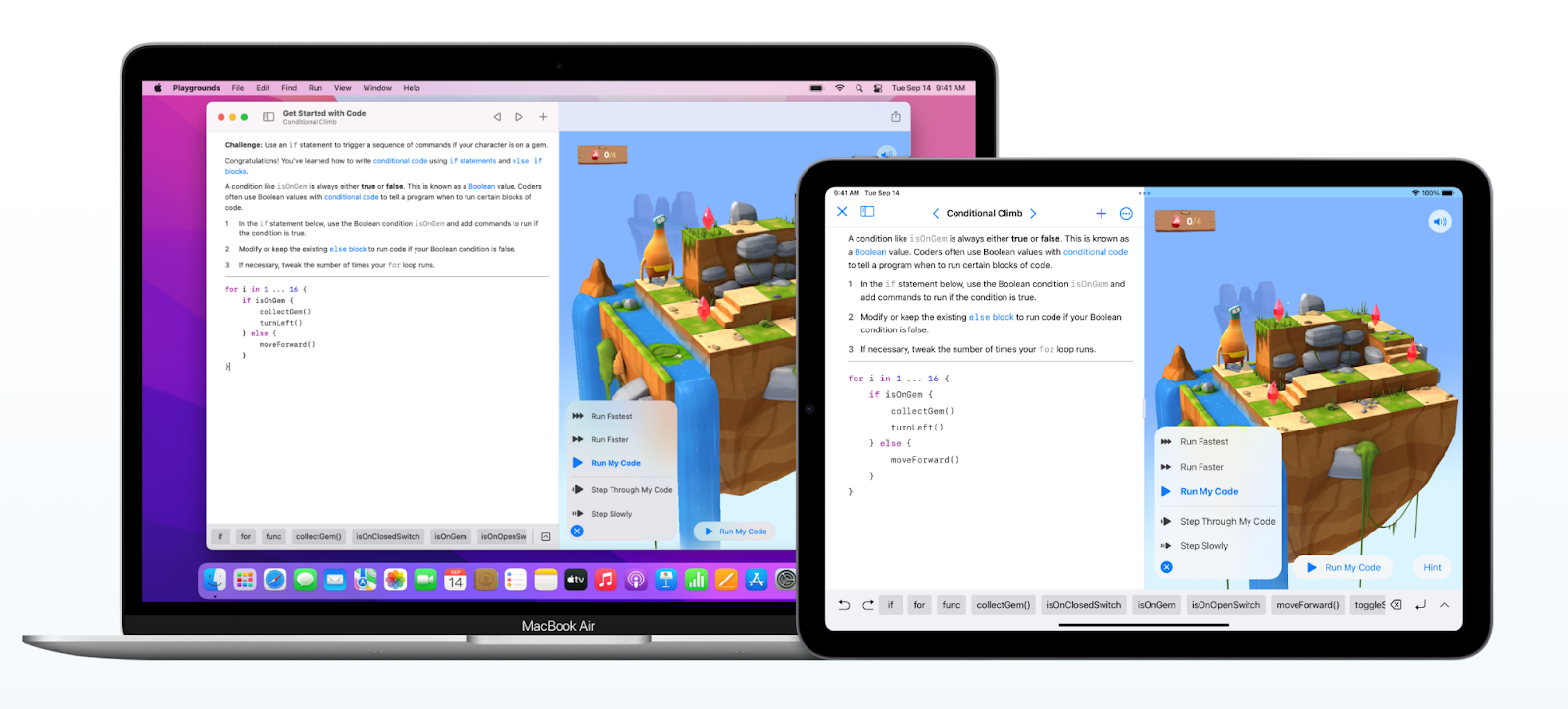
Swift Playgrounds by Apple allows learners to navigate and control a character in a 3D world.
And this is true even for people with vision impairments. The Everyone Can Code curricula, a set of free educational resources built around the Swift Playgrounds app, is compatible with VoiceOver — Apple’s advanced screen-reading technology. With VoiceOver integration, each lesson can be digested step-by-step on Swift Playground without the need to see the screen.
To enhance the inclusivity of its coding syllabus, Apple has also partnered with the Royal National Institute of Blind People (RNIB) to create braille versions of the Swift Playgrounds graphics used in its coding course. These braille sheets contain instructions and coding lessons that correspond to the 3D world puzzles. Learners with vision difficulties can thus use their hands to read these braille sheets and thereby learn helpful coding syntax.
However, among all the enhanced accessibility features and resources, the tool that stands out the most is the tactile map. Through its collaboration with LightHouse’s Media and Accessible Design Lab (MAD Lab), Apple developed multiple tactile maps corresponding to the 3D puzzle worlds in the Everyone Can Code curricula. These tactile maps include graphics that help visually-impaired learners to better orient and navigate their way through the worlds presented on their iPads by feeling their way around the respective map.
Considering the lengths to which Apple has strived to ensure the inclusivity of its curriculum for learners of diverse backgrounds, it was hands-down our final, unrivalled choice.
Outcomes
As we began our workshop, all our participants eagerly switched on the VoiceOver feature on their iPads. Wearing their earphones, they followed the coding lessons we had prepared for them with ease.
However, soon enough, we bumped into a couple of niggling issues with VoiceOver. It was unable to read aloud the codes or instructions for some puzzles we were exploring. As such, our participants faced difficulties completing them. Thankfully, however, we were able to step in to facilitate.
Having overcome this limitation, our participants were then able to progress to more challenging coding exercises. Interestingly, each of them eventually developed their own customised workflows incorporating other accessibility tools as well.
For instance, we talked to Brenda, a makeup artist in her 30s, who revealed to us that she had partial sightedness. As such, she could rely on both her sight as well as hearing.
“I enlarged the text on my iPad and asked for the real-life visual map to see things more clearly,” Brenda shared. “Once I had the map, it was easy to plan my coding sequence and then type it onto my iPad.”
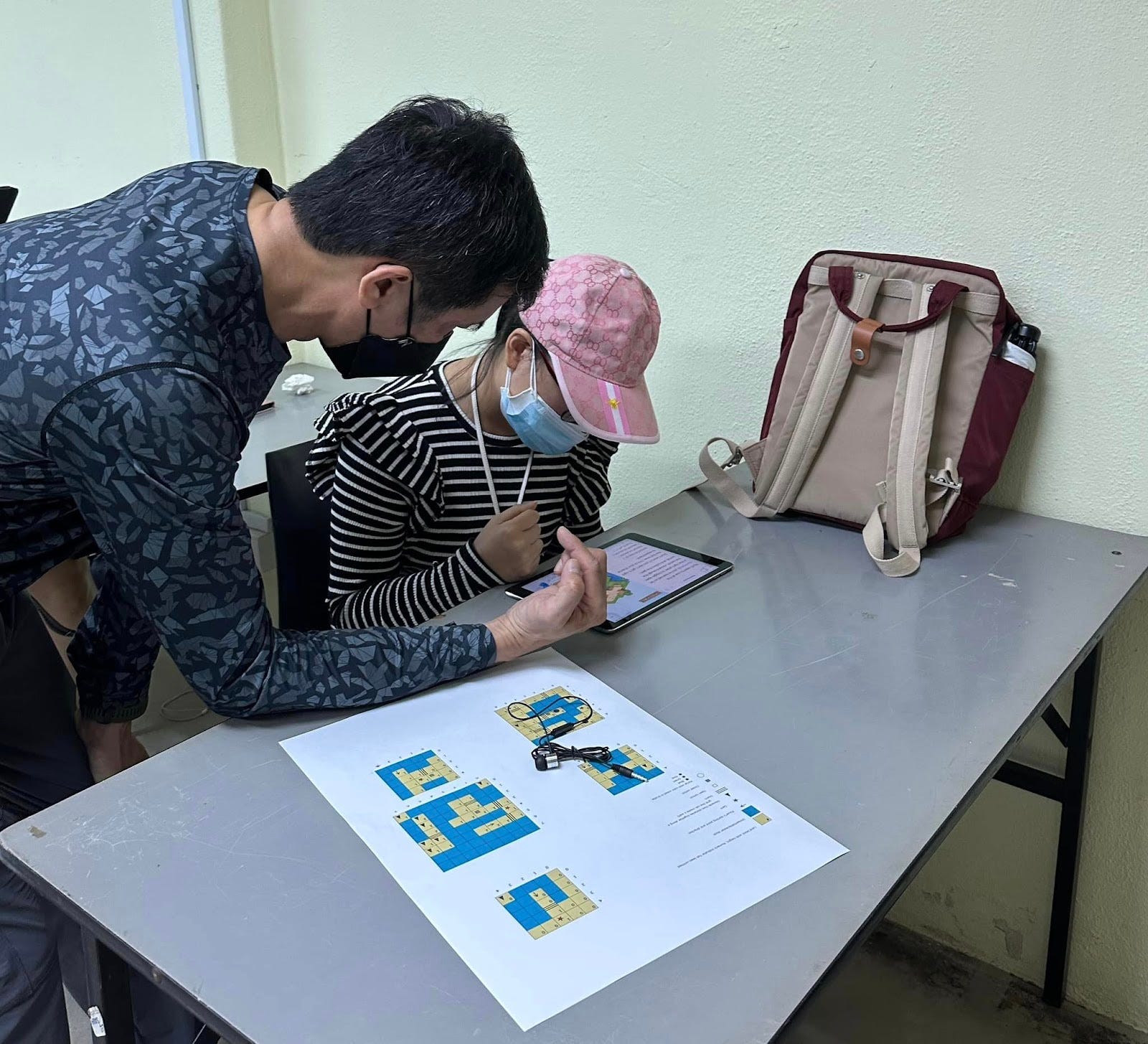
A participant using a real-life visual map to access each 3D world puzzle away from the iPad screen.
Meanwhile, other participants who were blind preferred the tactile maps that offered them the chance to “feel” their way around each 3D world. Chris, the organising head of a voluntary welfare organisation, explained, “It’s confusing for us without the tactile map because we really can’t tell what each world looks like. VoiceOver mentions what is on each tile but it’s hard to keep track of every tile by the time the entire map is read out!”
“With the tactile map, we can feel the graphics on the map so we’ll know where there are obstacles, etc. It helped a lot!”, he continued.

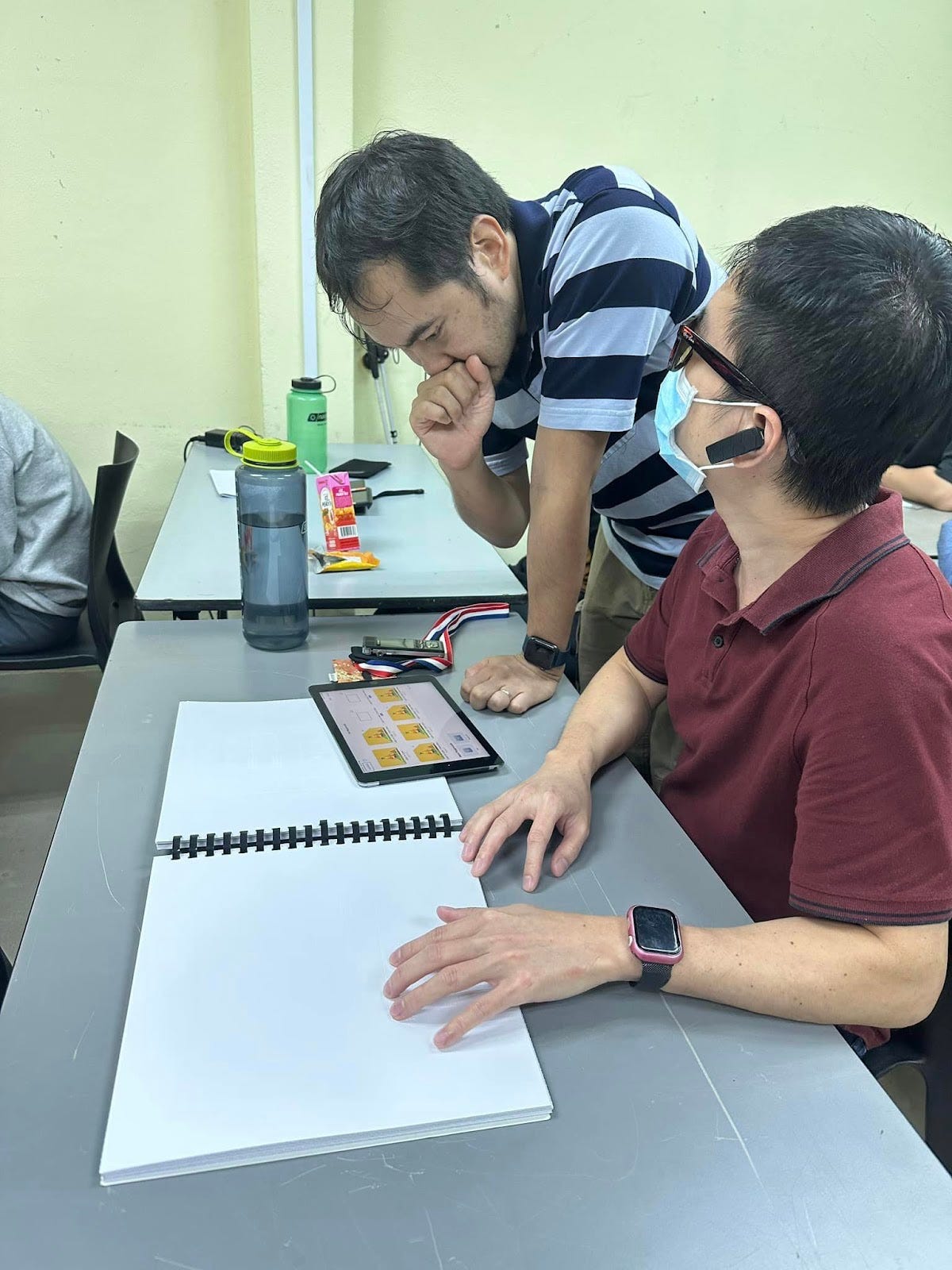
Participants using tactile maps with embossed tactile graphics to orientate themselves around each 3D world.
We were thoroughly pleased to see that every participant, regardless of their degree of vision impairment, was patiently exploring the 3D worlds and making great strides in improving their coding dexterity.
Contrary to popular belief, a blind person CAN learn to code. And we’re hopeful that our workshop has provided the necessary means for our participants to further hone their coding interests and skills. We’re confident that as VoiceOver gets further refined, the blind will be able to independently follow these coding curricula with much more ease.
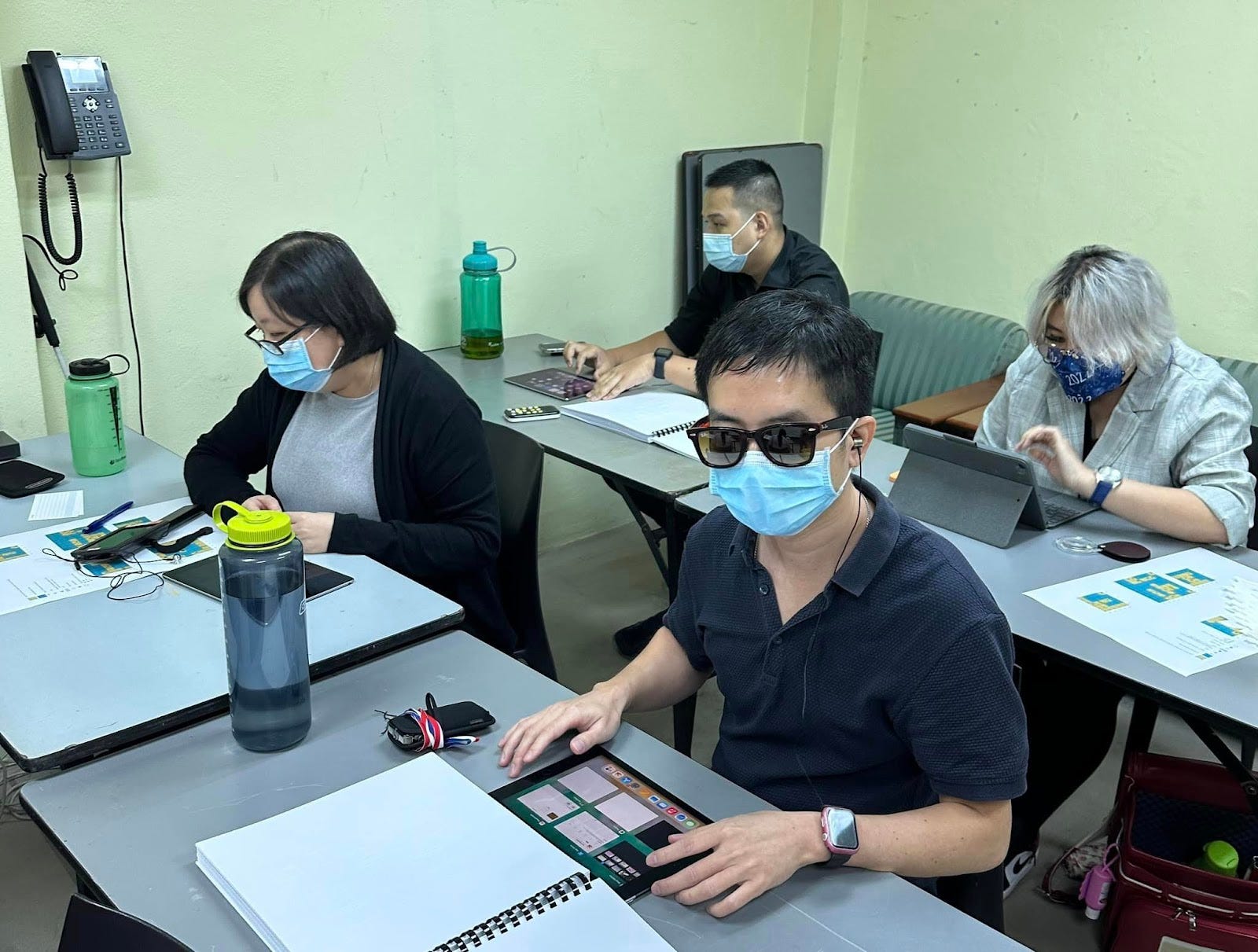
Participants using various ground-breaking accessibility technologies to solve a range of coding puzzles.