

The simple task of making a complicated project.
Editor’s note: James is 12 at time of writing, and already a pretty amazing coder! That’s about all the context you need for this piece.
Before I joined Tinkertanker as an intern, I had some experience with Node.js and APIs. So when YJ asked me to do a project with the micro:bit, my first (and only) thought was… why not hook micro:bits to APIs?
After brainstorming for a short while, I decided to create a micro:bit “hub” system for the office, where multiple micro:bits feed (using the built-in radio functionality) to the main micro:bit “hub”, which writes to serial for a computer running a Node.js script to read. Seems pretty simple, right?
The API I decided to work with was Slack, which is Tinkertanker’s office chat platform for staff and interns. Thank you, Slack, for having a very well documented API, I’d give you a cookie if I had any 🍪
TRYING
On to business. I wired up a motion sensor to the micro:bit, placed it near the office entrance, and got the microbit to send a string as a radio signal:
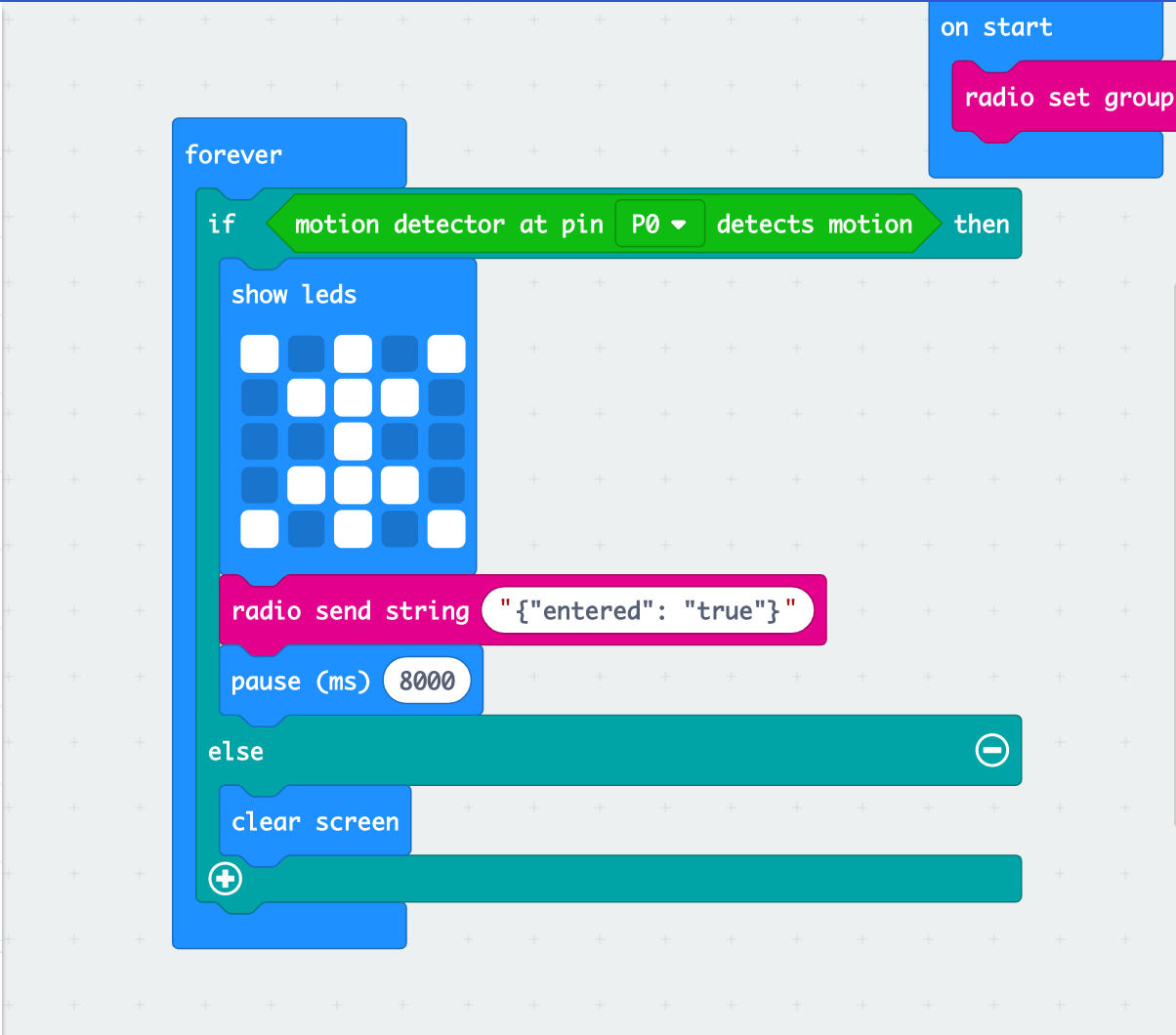
Simple, eh?
Notice something? Yes, that’s a JSON string!
I decided that the the Node.js program receiving the signal would JSON.parse()the JSON, and respond accordingly.
As the radio signal couldn’t reach the computer hosting the Node code, I set up another micro:bit to serve as a “hub”, then programmed the “hub” to relay signals through serial:
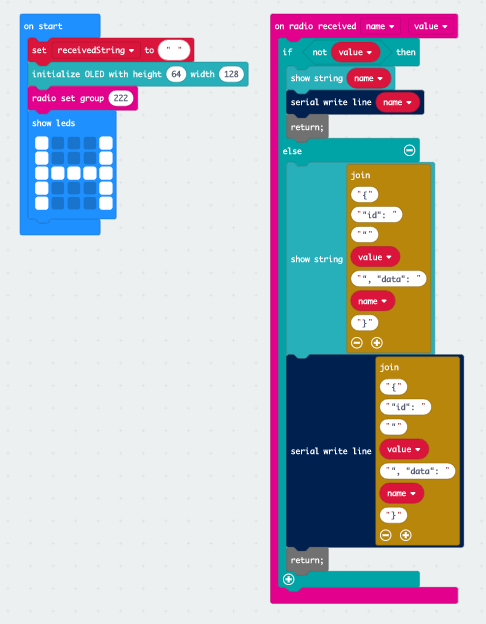
This version of the “Hub” is newer, but still compatible
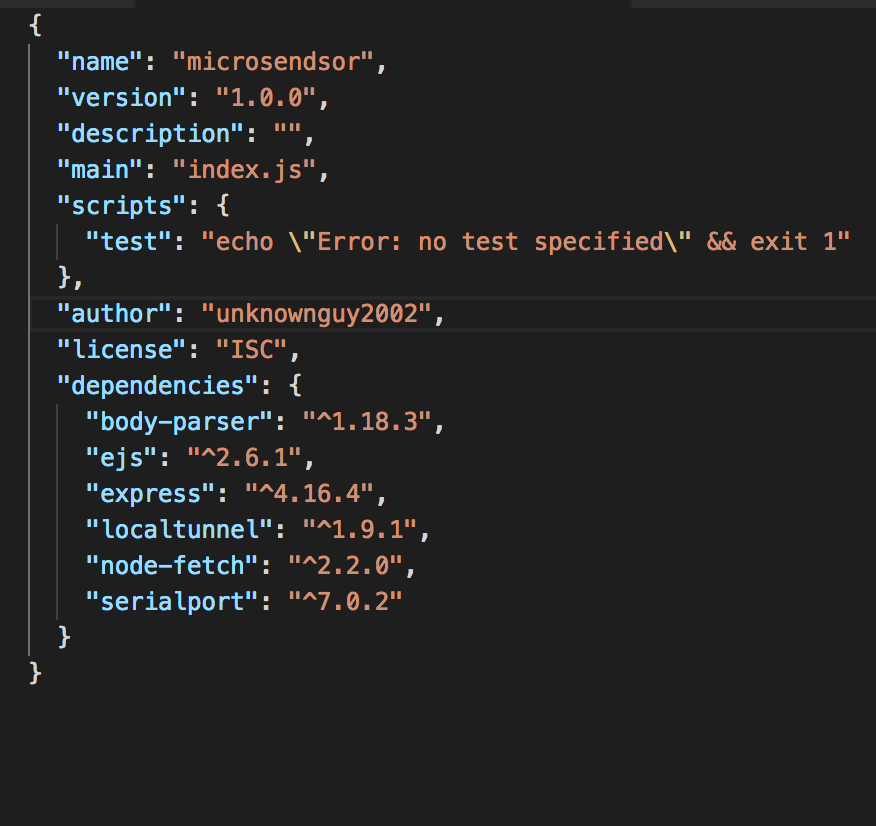
Also a newer version of the package.json file
Then, on to my favorite part, Node.js. Here are the modules I used:
- node-fetch, to use HTTP requests in Node
- serialport, to, unsurprisingly, access serial ports
- Express, a web framework for Node
Serialport had an convenient on(‘data’) event, which I happily used… except that I got buffers as data.
Good thing you can break buffers back down into strings, right? Look what that got me….
Data: {"e
Data: ntered":
Data:  "true"}
Data:
Data:
Data:
Data:
Data:
Data:
Data:
Data:
Data:
Data:
Data:
Data:
Data:
Data:
Data:
Data:
Data:
Data:
Data:
Data:
Data:
Data:
Data:
I was about to just do some interesting technique to solve this when I realised, hey, there’s a serialport parser!
True enough, I could add in the parser to read the data as a whole string!
var SerialPort = require('serialport');const Readline = require('@serialport/parser-readline')var port = new SerialPort('/dev/cu.usbmodem1412', {baudRate: 115200});const parser = port.pipe(new Readline({ delimiter: '\r\n' }))Yes! Everything was working perfectly. Now to JSON.parse(data)!
Much to my dismay, the string didn’t happen to be a valid JSON. How, then? When I console.log(data) ed it, it produced a seemingly valid string of JSON. (That’s when YJ Soon came in and spotted a programming error: data.trim instead of data.trim, what a careless mistake!)
So, I was almost done, now to send a message in Slack! I wrote the following code for that.
let json = `{"attachments":[{"fallback":"Someone entered/exited", "title":"Someone entered/exited", "callback_id": "motiondetect", "color": "#add8e6", "attachment_type": "default", "actions": [{"name":"who","text":"It was me", "type": "button", "value": "me"}]}]}`fetch('https://hooks.slack.com/services/...',
{ method: 'POST',
body: json,
headers: {'Content-type': "application/json"}}).catch()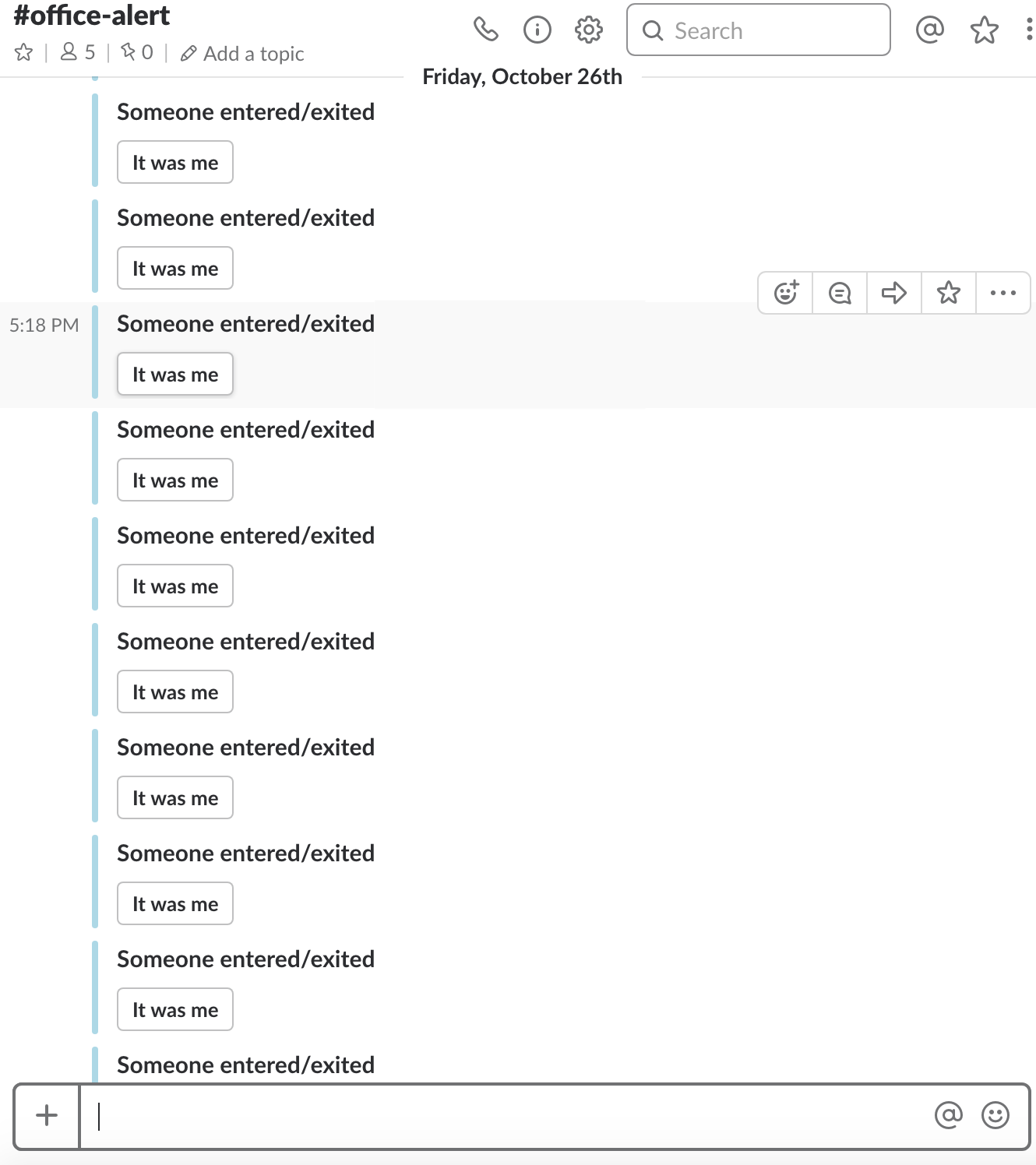
Spammy, Spammy, Ham
And I got that message in Slack. Quite a few times, because we had so many people walking in and out. But still, I got that message.
Wondering why I had Express as a dependency? I actually also made a quick website to serve staff at Tinkertanker with the latest feeds from sensors.
After that it worked perfectly. So happily ever after! (Until I decided to expand the whole system and also remove that micro:bit 😏)